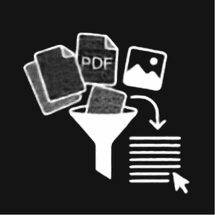
PDF → Markdown / Word

Upload PDFs, pick Markdown or Word export, and extract text with AI-powered OCR.

Ready to extract

Ready to extract

Upload PDFs and choose processing options in the left panel.

  • Scanned docs
  • Tables
  • Formulas
  • Complex layouts

Extract PDF to Markdown or Word with AI OCR

PDF2Brain converts complex PDFs — including scanned reports, multi-column layouts, tables, and handwritten notes — into clean Markdown or Word documents. Vision-language OCR understands page structure instead of running plain character recognition, so headings, reading order, tables, and math formulas stay usable for humans and AI workflows.

Key features

  • Batch upload multiple PDFs and export each file to .md or .docx
  • AI vision OCR for scanned PDFs, photos, and difficult layouts
  • Preserves tables, footnotes, math (LaTeX), and natural reading order
  • Fast, Balanced, and Accurate processing modes for different document types
  • Pay-per-page pricing with free credit on Google sign-in

Common use cases

  • Turn research papers and technical reports into Markdown for RAG pipelines
  • Digitize scanned contracts and invoices into editable Word files
  • Extract structured text from books, lecture notes, and mixed-layout PDFs
  • Prepare PDF archives for LLM ingestion without manual copy-paste

Frequently asked questions

Does PDF2Brain work on scanned PDFs?
Yes. The tool uses AI vision OCR to read full pages, including scans, photos, tables, and handwriting — not just selectable text in digital PDFs.
Should I export to Markdown or Word?
Choose Markdown (.md) for developer, documentation, and AI workflows. Choose Word (.docx) when you need to edit the document in Microsoft Word or Google Docs.
Are uploaded files stored on your servers?
Files are processed temporarily for your session and removed after download. PDF2Brain does not use your document content to train AI models.